
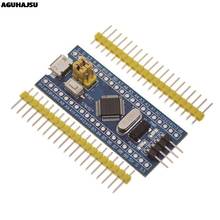
STM32F303CCT6 256KB STM32, Bootloader Compatible for Arduino IDE or STM FIRMWARE, ARM Cortex-M4 Mini System Development Board
This product is currently not available, see similar items
Go to store
This product is no longer for sale, see similar items
Link copied to clipboard, share itOr send it to social networks
This item is not available right now, but there are same and similar
Price increased by 1.48 $
Higher than average, a lotReliable seller: 100%
You can safely buy here, RobotDyn Official Store
- More than 10 years of seller experience
- High general feedback score (160104)
- Customers are satisfied by communication
- Items match description
- High shipping speed
- 0.3% of customers were dissatisfied over the last 3 months
Customer reviews


The instructions for installing Arduino libraries aren't very good. To install the official STM32 Arduino libraries you need to
1) Click on the Arduino IDE File menu, and select Preferences
2) On the Preferences dialog select the Settings tab (if not already uppermost)
3) Click on the button alongside Additional Boards Manager URLs
4) Add a link to the official GitHub stm32duino file package_stm_index.json (sorry, can't post URL, Google it)
5) Click OK
6) Go to the Tools menu, and select Boards:
7) Pick the Generic STM32F303 option
Programming/data transfer via the USB doesn't seem to work. I'm hoping that, once I'm more familiar, I might be able to solve that issue.
So I used a 3.3v serial dongle connected to pins 9 and 10, see pic 1. Note boot0 is set to 1 to program, 0 to execute.
To program I found the settings in pic 2 worked, at least enough to get started.
January 12, 2021
The instructions for installing Arduino libraries aren't very good. To install the official STM32 Arduino libraries you need to
1) Click on the Arduino IDE File menu, and select Preferences
2) On the Preferences dialog select the Settings tab (if not already uppermost)
3) Click on the button alongside Additional Boards Manager URLs
4) Add a link to the official GitHub stm32duino file package_stm_index.json (sorry, can't post URL, Google it)
5) Click OK
6) Go to the Tools menu, and select Boards:
7) Pick the Generic STM32F303 option
Programming/data transfer via the USB doesn't seem to work. I'm hoping that, once I'm more familiar, I might be able to solve that issue.
So I used a 3.3v serial dongle connected to pins 9 and 10, see pic 1. Note boot0 is set to 1 to program, 0 to execute.
To program I found the settings in pic 2 worked, at least enough to get started.
January 01, 1970
Prices at other sellers from 5.8 $

47 similar items found


37.80 $
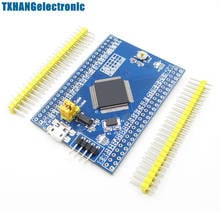
5pcs stm32f103c8t6 arm stm32 minimum system development board module for arduino
0
0
Seller reliability 100%

34.76 $
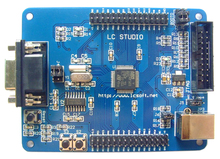
Arm cortex-m3 stm32f103rbt6 stm32 development board
0
0
Seller reliability 100%




3.87 $
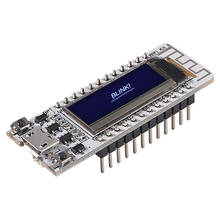
1pcs digispark kickstarter development board attiny85 module for arduino usb
0
0
Seller reliability 72%










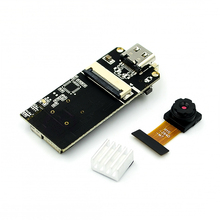
9.97 $
Esp32-cam module ov2640 camera module development board esp32 for arduino
0
1
Seller reliability 100%

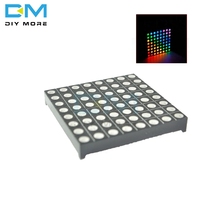
2.78 $
5mm led rgb matrix module driver board 8x8 + dot matrix for arduino avr top
0
0
Seller reliability 100%


0ratings
ratings0orders
ordersPhotos from buyers
+2
All photos
Product specifications
- Brand Name: RobotDyn
- Origin: CN(Origin)
- Condition: New
- Type: Logic ICs
- Application: Computer
- Package: SMD
- is_customized: Yes
Show all